
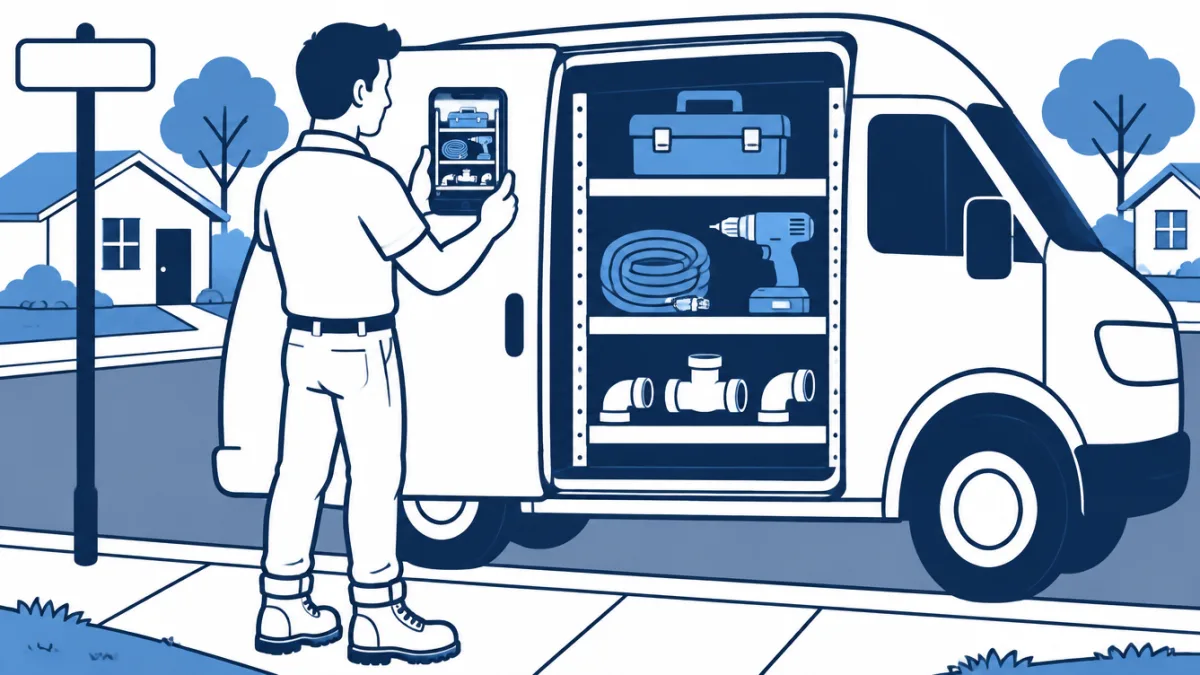
A contractor sets up a Google Business Profile by adding or claiming the business, then verifying it. It costs nothing, and you qualify even if you only work at customers' homes.
The profile is your listing on Google Search and Maps, with your reviews, hours and call button.
| Your problem | Go to |
|---|---|
| I do not have a profile yet | Setup and video verification |
| Customers cannot find me | The six checks |
| My profile is suspended | The appeal steps |
| I show up too low | Ranking higher on Maps |
| Someone else controls it | Ownership |
Does a Contractor Qualify?
Google's eligibility rules ask for in-person contact with customers during your stated hours. Adding or claiming a profile is free.
Online-only businesses and lead generation companies do not qualify. A P.O. box cannot be your address.
I found no LLC requirement on those pages.
How Do You Set Up or Claim the Profile?
First, search your business name and town on Google Maps. A listing may already exist.
Making a second one creates a duplicate.
If there is no listing:
- Go to business.google.com/add.
- Select Add your business to Google.
- Enter your details and follow the screens.
- Pick a verification option.
If there is an unclaimed listing, open it on Maps and select Claim this business, then Manage now.
Get three things right while you fill it in:
- Name: your real one, as on your truck and paperwork. Extra words can lead to suspension.
- Address: if customers do not come to you, leave it off.
- Service area: up to 20 cities or postal codes, within about two hours' drive. No mile radius.
If someone else verified it, request ownership. With a shop or office, choose Request Access.
The owner has three days to answer, and silence may open a claim option.
Without a shop or office, contact Google support and ask for Transfer ownership of listing.
How Do You Pass Video Verification?
Google decides which verification options you get. If video is offered, Google recommends it.
Walk your route once before you press record.
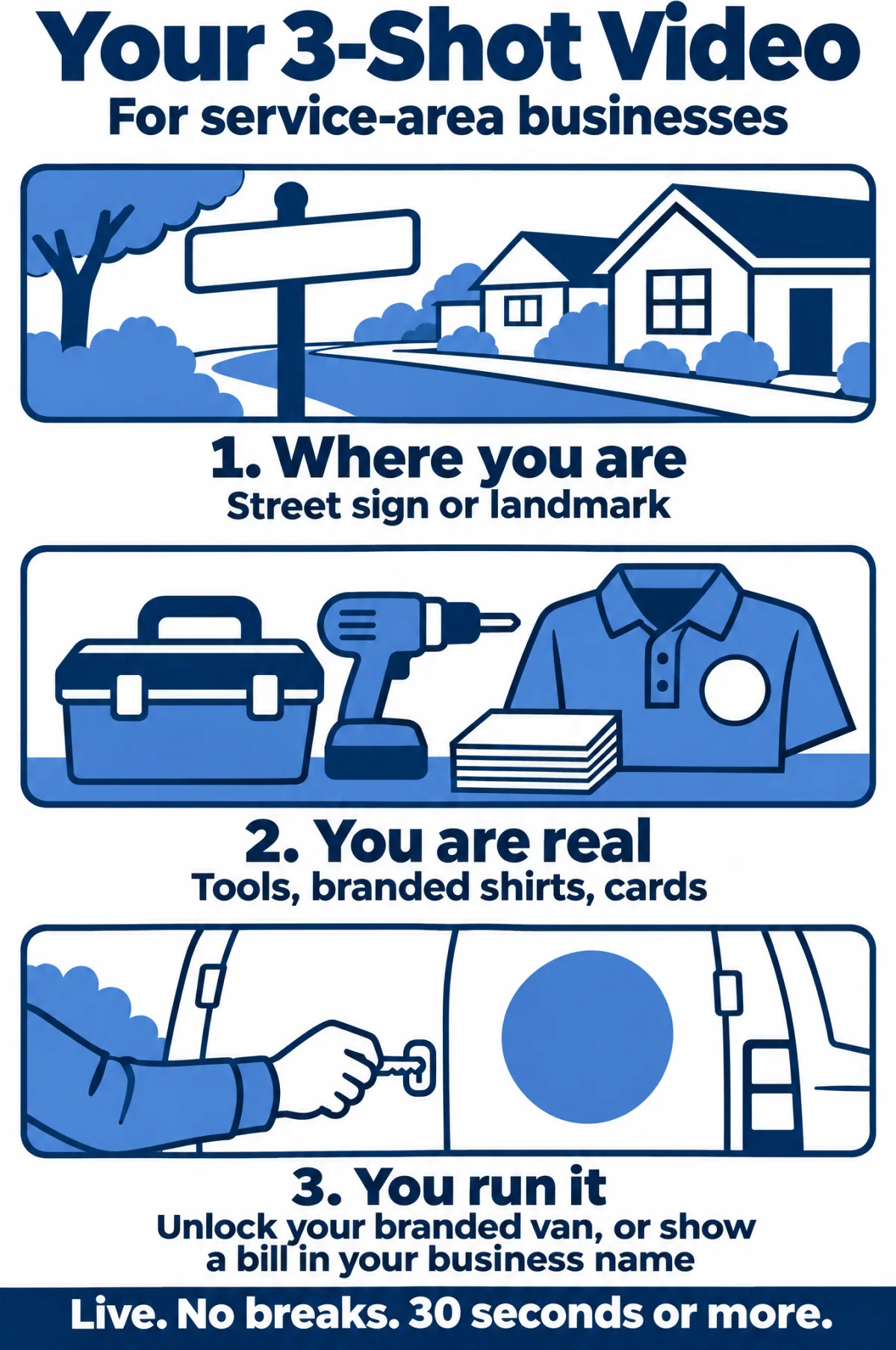
Shot list based on Google's video verification rules for service-area businesses.
- On your phone, open your Business Profile and tap Get verified.
- Tap Business video, then Next. Read the requirements and allow camera, microphone and location if asked.
- Tap Start recording.
- Film the three shots in one unbroken take of 30 seconds or more.
- Watch it back, then tap Upload video.
Footage recorded earlier is not allowed.
If you work from home, landmarks and signs in your own neighborhood can show the location.
Keep other people's faces and bank, tax or ID numbers out of the frame. Check any bill or permit before you point the camera at it.
Storefront businesses have different shots, such as permanent signage.
Review takes up to five business days. If it fails, tap Review issues.
The new video must show everything from the first one, plus what was missing.
Why Is Your Google Business Profile Not Showing Up?
Sign in and search your business name and town. Then work down these six checks and stop at the first yes.
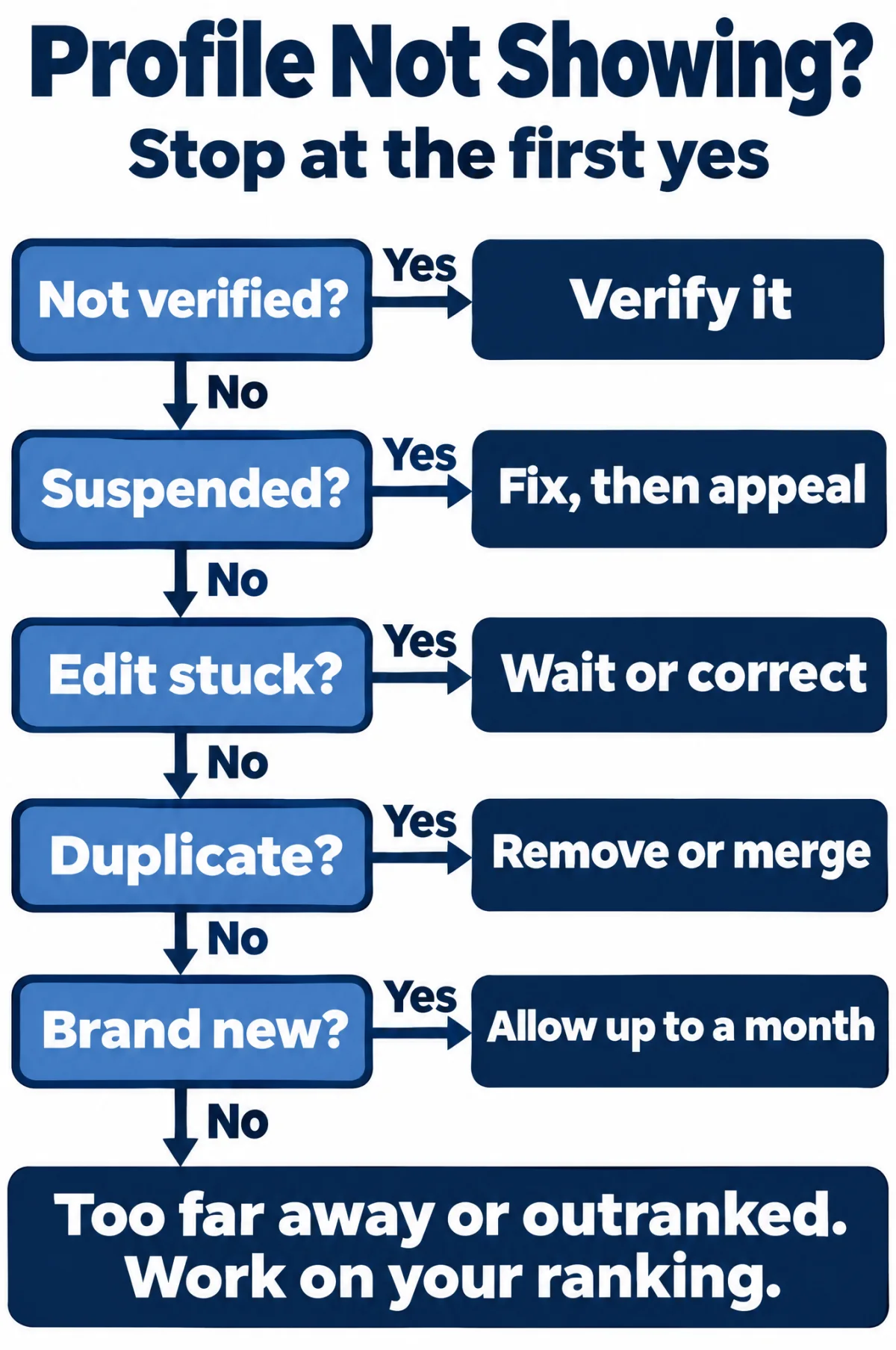
Causes from Google's pages on finding your business and duplicates. The order is my suggestion.
| Check and sign | Fix |
|---|---|
| 1. Not verified: a Get verified button shows | Finish verification |
| 2. Suspended: a notice in your Google Account | See the next section |
| 3. Edit stuck: it reads Pending or Not approved | Wait, or correct the detail |
| 4. Duplicate: a second listing exists | Request access, remove your extra, or ask for a merge |
| 5. New: you were just listed | Allow up to a month to rank |
| 6. Too far or too low: you show nearby only | Work on ranking |
Edit review usually takes 10 minutes but can run to 30 days. Changes can take three days to show in search.
Before you remove a duplicate, check twice. Removing a profile deletes its content and managers.
A merge combines reviews, but replies may be lost.
What Do You Do About a Suspended Profile?
Do not create a new profile. Fix whatever broke the guidelines, such as extra words in the name or a home address showing.
Gather proof that matches the profile name and address: business registration, license, tax certificate or utility bill.
Then:
- Open the appeals tool and confirm your account.
- Select the profile, then the decision. The tool shows the reason.
- Attach your files with Choose file and explain what you fixed.
- Check the confirmation box and submit.
You get one appeal, so wait until the files are ready. Decisions can take up to five business days.
A denial may get one more review if you have new evidence.
If your whole Google account is restricted, appeal the account first.
How Do You Rank Higher on Google Maps?
Google bases local results on relevance, distance and prominence. There is no way to pay for a better local ranking.
You cannot change where the searcher is. Work on the rest in this order:
| Fill in, and where | What good looks like |
|---|---|
| Primary category: Edit profile, Business category | Your main trade, as specific as the list allows |
| Hours: Edit profile, Hours | Real hours, plus holiday hours |
| Services: Edit services | Each job you sell, with a short description |
| Photos: on a computer, Photos, Add photos | Real jobs, in focus and well lit |
| Reviews: Read reviews, Reply | Steady new reviews, each one answered |
In Whitespark's 2026 survey of 47 local search experts, primary category ranked first for the map pack. That is expert opinion.
Services are offered only in some categories. Leave prices and phone numbers out of custom service names, or Google rejects them.
Photos should be JPG or PNG. Google recommends 720 by 720 pixels, and new uploads can take 24 to 48 hours to appear.
Posts share news and offers, and ones older than six months are archived unless they have a date range. I found no Google statement that posting raises rank.
For a real scan showing how rank fades with distance, see the roofing map pack guide.
What Are the Google Review Rules?
Select Read reviews, then Get more reviews, to copy your review link. The QR code can only be made on a computer.
Send the link to every customer the same way: "Thanks for having us out. If you have two minutes, here is our Google review link."
Google's review policy rules out these:
| Do not | Example |
|---|---|
| Reward a review | "$20 off if you review us" |
| Filter customers | Sending the link only to happy ones |
| Use insiders | Staff or relatives posting reviews |
| Pressure on site | Waiting while the customer types |
| Ask for set content | "Mention Mike by name" |
| Set staff quotas | "Each tech gets five a week" |
A Federal Trade Commission rule, in effect since 21 October 2024, also bans fake and bought reviews. Google is stricter in places, so follow both.
This is not legal advice.
Reply under Read reviews. Keep it short and polite, share no private details, and take disputes to the phone.
Report a review only when it breaks a policy. Disagreeing is not enough. Here is how to remove a bad Google review, step by step.
If someone posts bad reviews and demands money, do not pay. Save the messages and file Google's extortion report.
What Should You Check Each Month?
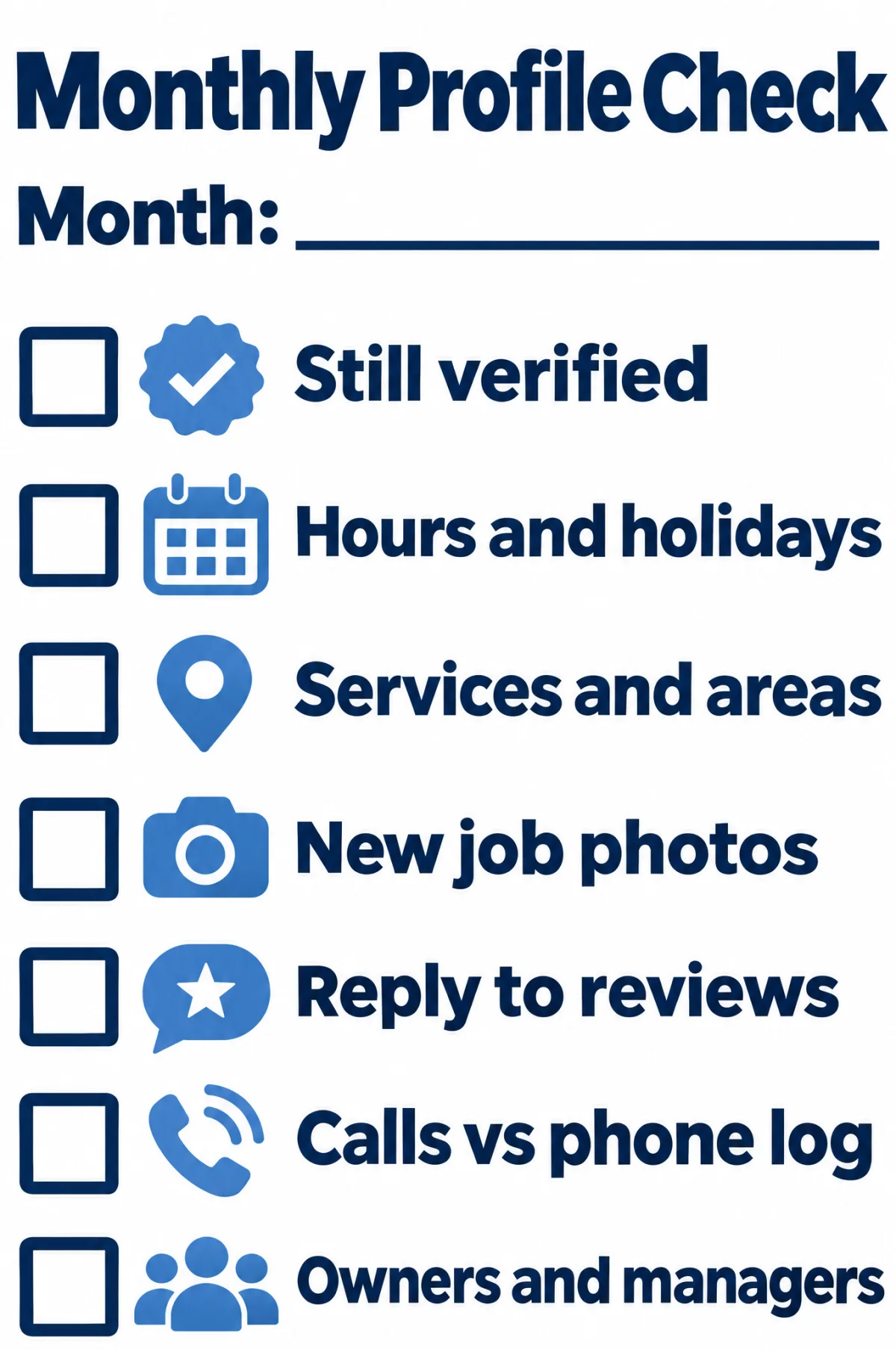
A routine I suggest. Print it or save it to your phone.
Open Performance and pick last month. Google counts calls as clicks on the call button, not answered calls.
The report includes Google Ads activity too.
This is one client's report.
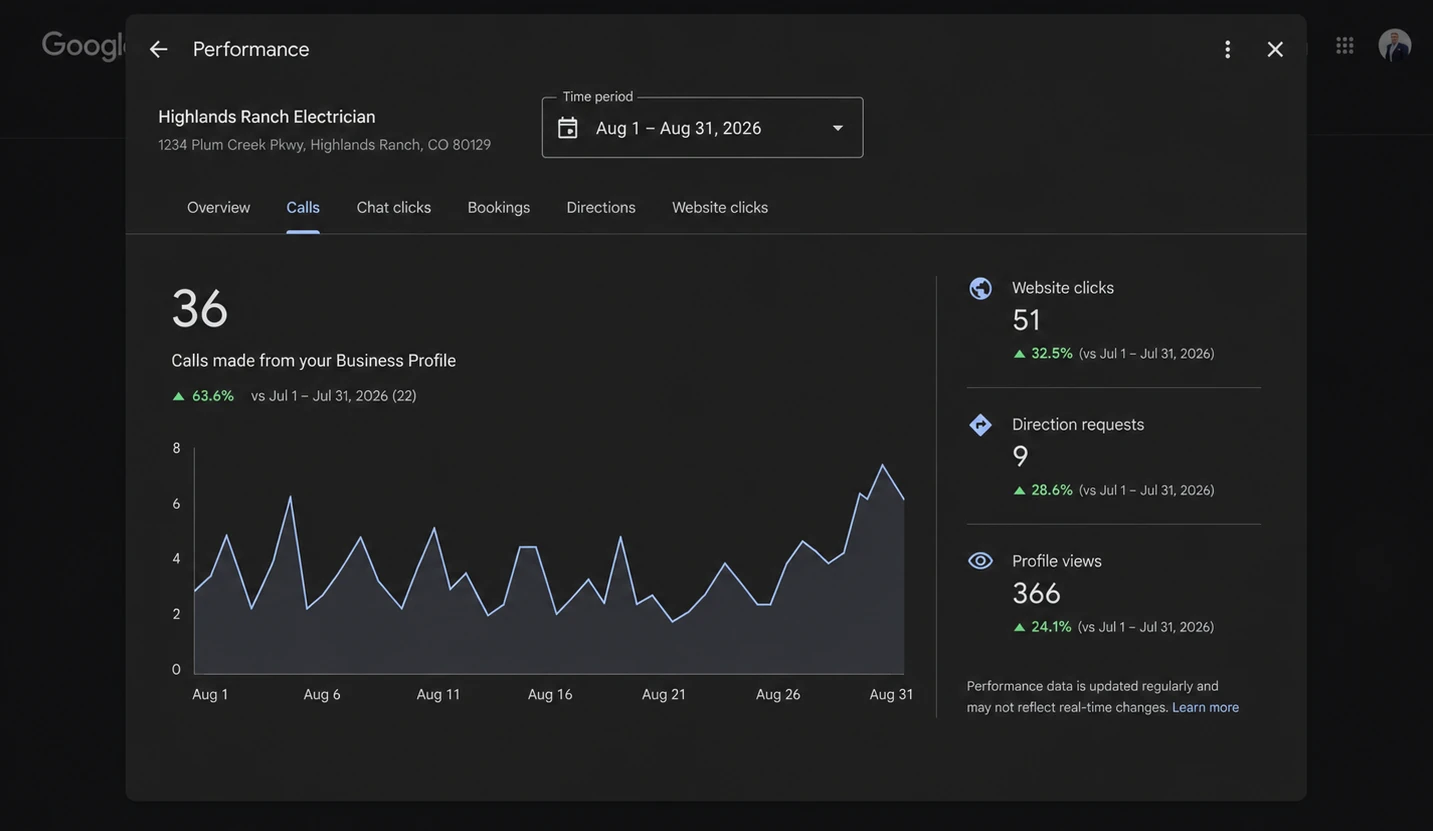
Parks Electric, Highlands Ranch: 36 call-button clicks in August 2026 against 22 in July. The name and street address on the screen were replaced. One business, not a typical result.
That is 14 more clicks. The screen cannot show how many calls were answered, how many became jobs, or whether ads sent any.
Your phone log can.
- Clicks up, answered calls flat: look for missed calls.
- Calls up, booked jobs flat: read the search terms. They may not match the work you want.
- Clicks down: check status, hours and recent edits.
Then work out your cost per booked job.
Who Should Own Your Google Business Profile?
You should. Select More, then Business Profile settings, then People and access.
Confirm your own account is listed as an owner.
Give an agency Manager access. Managers can do most tasks but cannot add or remove users or remove the profile.
Google's third party policy says you keep ownership or co-ownership at all times. After you give notice, an agency has seven business days to give you sole control.
An agency also may not guarantee top placement.
What Changed Recently?
Old guides still mention two features:
- Google's built-in chat and call history ended on 31 July 2024. Some regions can add a text or WhatsApp option.
- Public questions and answers are being replaced on Maps by an AI "Ask" button, as reported in December 2025.
If you buy leads from Google as well, see what Local Services Ads cost.
Get a Second Set of Eyes
I checked the Google pages linked here on 25 November 2026. Menus move, so your screen may differ slightly.
Ask for the free competitor teardown to compare your profile with the three contractors above you. It takes 48 hours and no call.
For hands-on work, see Google Business Profile management and SEO for contractors.